By Post Your Beer · · Updated · 5 min read
Beer photography tips: better photos with your phone
A useful beer photo shows the beer clearly and keeps something of the place you enjoyed it. You can make that photo with the phone you already have. Start with light, a clean lens and one clear subject, then compare two real community photos before sharing your own.
Already have a shot? Submit your beer photo free →
Clean the lens and find soft light
Wipe the phone lens before you start. Fingerprints can turn bright reflections into a haze. Try a spot beside a window or an outdoor table in open shade, and compare it with the same scene in direct sun.
Move the glass or turn your phone slightly until the label and beer are easy to see. A small change in angle can remove a reflection that covers the name. Take a test photo before rearranging everything.
Choose what the photo should show
For a beer review, make the beer name readable. Put the can or bottle beside the glass if you have one. For a memory of a place, leave enough background to show the setting while keeping the beer easy to find.
Check the edges of the frame for clutter. Moving a receipt or shifting the camera a few centimeters can simplify the picture. Keep personal documents and people who have not agreed to be photographed out of the frame.
Tap to focus and hold the phone steady
Tap the beer or label on the screen to focus. Support the phone with both hands and pause briefly as you take the shot. If the label is too bright or the glass too dark, try the camera’s exposure control and compare the result.
Use the normal camera view first. Move closer if you can instead of applying a large digital zoom. Turn on gridlines if they help you keep the table, horizon or can upright.
Compare two real beer photos
In the Brewmaster Nitro Stout photo below, the can fills most of the frame against a tiled wall. The product name is readable, with the glass partly behind the can. This is a useful approach when you want the label to be the first thing someone notices. Moving the glass a little farther to the side would show more of the pour.
The Broken Dream photo puts the can between two glasses, with tan foam visible above the dark beer. That wider arrangement shows the label and both pours together. Before taking a similar shot, check the objects at the edges and decide how much background you want to keep.
Try both arrangements with your own beer: a close label-led frame, then a wider photo with the glass beside it. Compare the readable name, reflections and edges before choosing. Use these as composition examples and add your own tasting observations separately.
From the community
Open each post to see the original photo and recorded details.
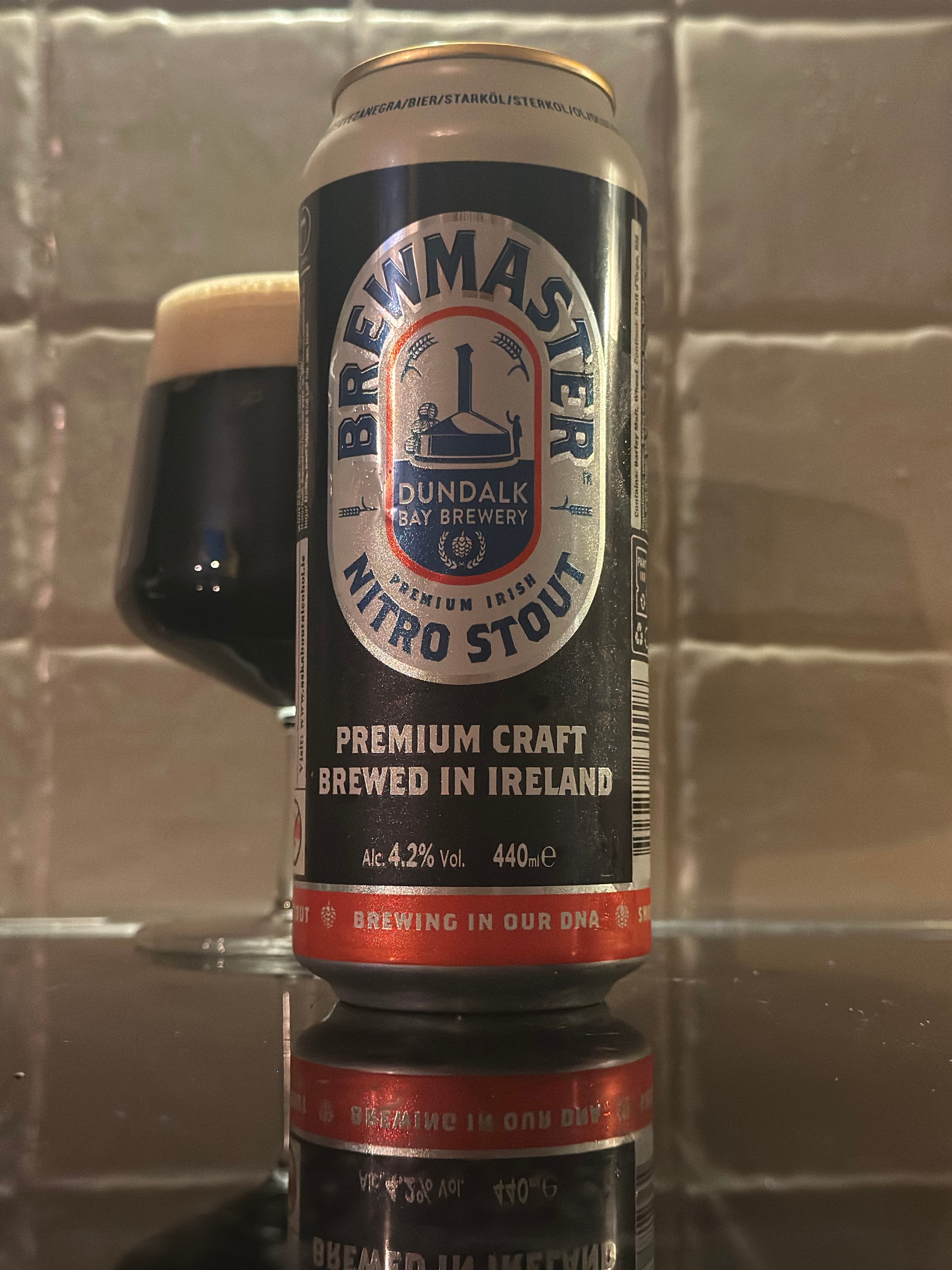
Brewmaster Nitro Stout
Dundalk Bay Brewery
OK
 @beer_i_have_tasted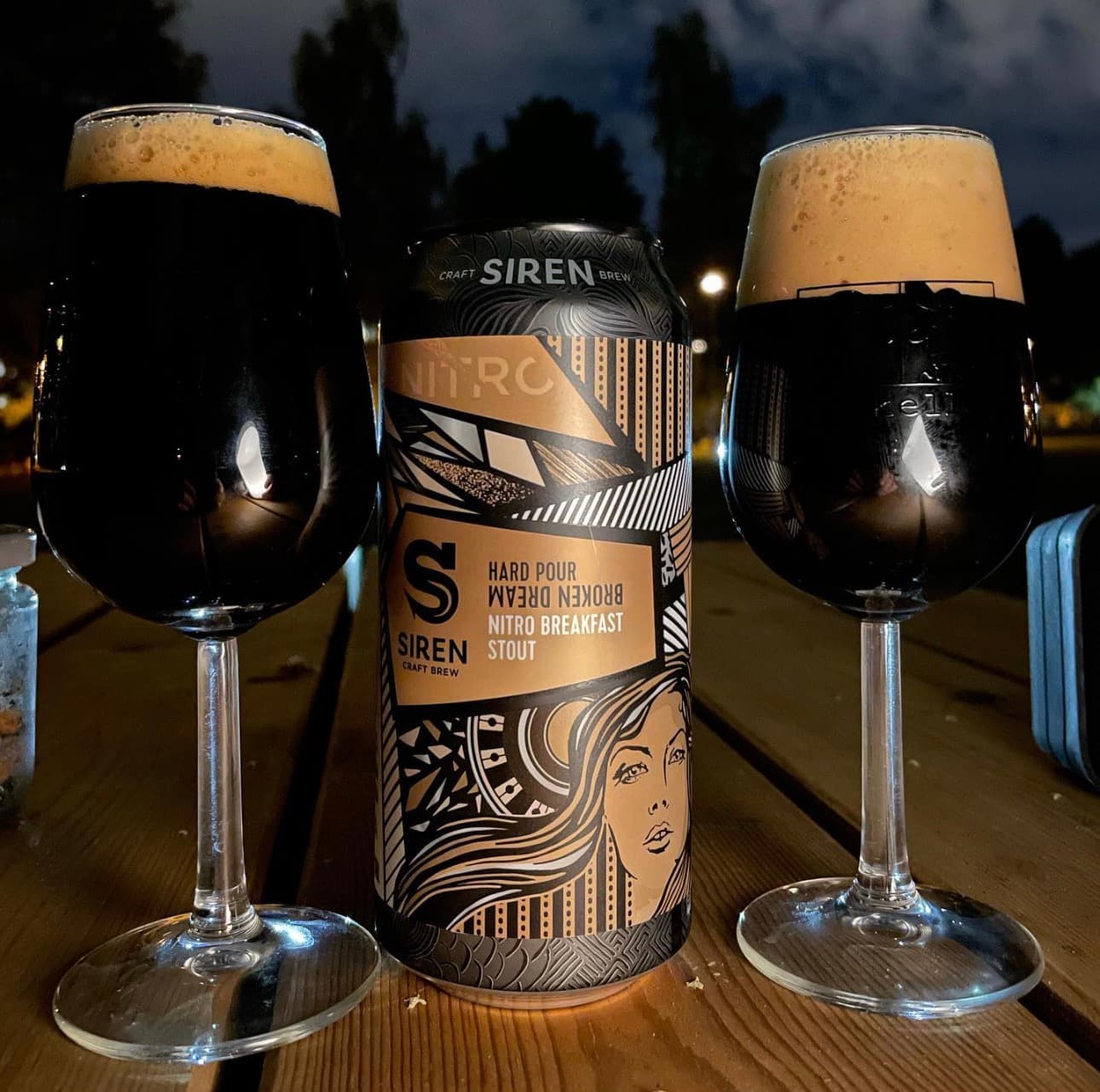
Broken Dream Nitro Breakfast Stout
Siren Craft Brew
5 year old picture, don´t remember….
@beer_i_have_tastedGot a better beer photo?
Submit your own photo for free. Compare the readable name, light and framing, then show us your version.
We repost accepted beer photos on our Instagram and credit your handle.
Submit my beer photo freeNo account needed. Guests use an Instagram handle. Instagram publishing can be delayed; your website post is saved separately.
Try three frames, then choose one
Take one close photo of the beer, one with the label and glass together, and one wider view of the setting. You will usually learn more from those three deliberate frames than from many nearly identical shots.
Check the photo at a larger size before posting. Is the name readable? Is the beer in focus? Does a reflection hide the subject? Choose the frame that answers the question you want your post to answer.
Edit gently and keep the beer recognizable
A small crop or exposure adjustment can help. Keep the beer’s color believable if the photo will accompany tasting notes. Strong color filters can make the image less useful to someone trying to understand its appearance.
Post a photo you took or have permission to use. A brewery’s promotional image and another member’s photo are not substitutes for your own experience. Credit alone does not grant permission to reuse a picture.
Add a note that completes the photo
A caption can explain what the photo cannot: what you thought of the aroma, how the texture felt, or why you chose that beer. Even a brief personal note gives readers something more useful than a list of hashtags.
Upload your chosen image to Post Your Beer, check the beer name and brewery, and add the tasting location if you want to share it. You can post as a guest with your Instagram handle or create an account to keep your profile together.
Your reusable checklist
Before posting:
□ Lens clean
□ Beer or label in focus
□ Name readable
□ Background checked
□ Color looks believable
□ My own photo, or permission to use it
□ Beer name and brewery checked
□ One personal observation to add
Sources & further reading
This drinks photography training sheet covers phone-camera basics including a clean lens, steady hands, focus and composition. The checklist here is written for community beer posts.
Drinks photography tips ↗